


Wireless Reverse Charging
4.559.00 Reviews
App Specs
- Version
- 17.0
- Updated On
- License
- Free
- Downloads
- 50,000+
- Developer
- Shadow soft
- Categories
- Libraries & Demo
- Platform
- Android
Screenshots
 Analysis by AppCompare
I’d start with one expectation check: Wireless Reverse Charging is an app in the Libraries & Demo category, but the ability to send power wirelessly depends on the phone’s hardware. Installing an app alone cannot add wireless power-sharing support to a device that lacks it. That distinction matters, because it helps a first-time user avoid mistaking a compatibility issue for a setup mistake.
Made by Shadow soft, the free app has an Everyone content rating and is currently at version 17.0. It has a 4.5 average from around 1.1 thousand ratings, with 50 thousand-plus installs. Those figures suggest that plenty of people are curious about the idea, but I’d still treat your phone’s own capabilities as the deciding factor before relying on it for an important charge.
What to expect before you begin
The useful promise here is straightforward: make a phone share power wirelessly. In practice, the result depends on whether your particular phone supports reverse wireless charging and whether the device receiving power can accept it. Two phones that look similar may not offer the same charging options, so checking the exact model’s settings or manufacturer guidance is a better first move than assuming the feature is universal.
I’d think of this as an occasional backup rather than a replacement for a wall charger, cable, or power bank. Wireless sharing is most appealing when a small device needs enough charge to get through a short stretch, or when cables are inconvenient. It is less suited to restoring a nearly empty phone, especially if the phone doing the sharing also needs to last the rest of the day.
A calm first setup
Before opening the app, check that your phone has wireless power-sharing support. Look through its battery or wireless charging settings, or check the instructions for the exact model. If there is no compatible hardware or built-in option, repeated tapping in an app will not create it. That is a useful thing to establish early, rather than discovering it at an airport or when someone urgently needs power.
Once you know the phone supports the function, follow the controls available on that device and use the app as intended. Keep the receiving device close to hand so you can position it carefully on the phone’s back. A case, a camera bump, or a small shift in placement can affect the connection, so start with both devices flat and adjust gently if charging does not begin.
Getting to the first successful charge
For a first try, choose a device with wireless charging support and enough remaining power on your phone to spare. Enable the phone’s sharing option, place the receiving device against the back, and pause to check whether it indicates that power is flowing. If nothing happens, reposition it rather than immediately assuming the app or phone is broken; the charging coils need to line up.
Worth Reading Before You Choose

Flipboard Shows What News Apps Must Do Beyond the Feed

Switching to Android Auto Means Rethinking Your Driving Routine

Google Calendar Makes a Crowded Week Easier to Manage

Ludo King Makes the Most of the Minutes Between Plans

Baby Panda World Brings Quick Play to Modern Phones, but Its Game Library Feels Busy

ESPN’s Live Game View Makes Following Close Games Easier
A small accessory is a sensible test because it gives you a low-stakes way to learn where the connection point is and how stable the placement feels. Once you have confirmed that the setup works, remember the position that worked for your devices. That practical detail can save fumbling later, particularly if you are lending power in a dim room or while standing in a queue.
Where the convenience pays off
I can see the appeal when a friend’s earbuds need a little power before a call, or when a watch needs a short top-up during a day away from home. Sharing power without searching for a cable is genuinely handy in those moments. It is also useful when you have deliberately packed light and want one more backup option, provided your own phone is not already close to empty.
There is a trade-off: the phone giving power spends its own battery, and wireless charging is generally less direct than plugging in. I would not use it casually when I need my phone for navigation, tickets, or an emergency call later. Treat the charge as a small reserve for a specific need, not free energy or a way to keep several devices topped up indefinitely.
Common snags and sensible alternatives
If charging fails, check the essentials in order: both devices need the right wireless charging capabilities, the phone’s sharing function needs to be enabled, and the devices need to be positioned correctly. Remove anything that makes stable contact difficult, then try a slight adjustment. If the phone becomes warm or the connection keeps dropping, stop and use another charging method instead of forcing the session.
A cable is usually the better choice when speed and a dependable connection matter. A power bank is more practical for a longer outing because it can preserve the phone’s own battery, while a wall charger is better when you have access to an outlet. Reverse charging stands apart for convenience and helping another compatible device in a pinch; it does not beat those options on capacity or certainty.
What is Wireless Reverse Charging All About?
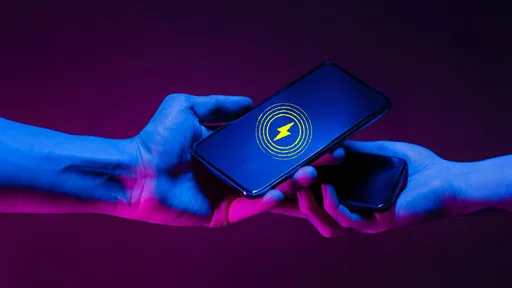
So, what's the deal with Wireless Reverse Charging? Imagine your phone acting as a power bank, sharing its battery juice with other devices. Sounds like magic, right? This feature is available on a bunch of high-end smartphones, and it’s an absolute lifesaver when you’re traveling or just need a quick boost for your wireless earbuds.
Setting it up is a breeze. You just enable the feature through your phone's settings, place the device you want to charge on the back of your phone, and voilà! No cables, no fuss. It’s like a modern-day superhero cape for your phone, ready to save the day when you need it most.
Getting Started with Wireless Reverse Charging
First things first, you'll need a compatible device. Not every gadget supports this cool feature, so make sure your phone is on the list. Once you're set, head over to your settings and find the wireless charging section. Toggle it on, and you're good to go.
One of the most significant perks here is the simplicity. The interface is intuitive, making it accessible even for tech newbies. Just place your friend's phone or your smartwatch on the back of your device, and let the charging begin. It’s that simple, folks.
Why Should You Care?
You might be wondering, "Why should I bother with this?" Well, here’s the kicker: convenience. We live in a world where staying connected is crucial. Having the ability to charge another device or help a friend out in a pinch is incredibly empowering.
Think of all the times you’ve been out with friends, and someone’s phone is about to die. With wireless reverse charging, you’re the hero of the group. Plus, it’s environmentally friendly. Fewer cables mean less electronic waste, and that’s a win for Mother Earth.
Real-World Scenarios
Picture this: You're in a crowded airport, all charging stations are occupied, and your smartwatch is about to die. No worries, just pop it on the back of your phone and keep ticking along. Or, you're in a coffee shop, working on your tablet, and it starts flashing the low battery warning. No need to pack up and leave; just give it a boost with your phone.
These real-world applications are where wireless reverse charging truly shines. It's not just a feature; it's a lifestyle upgrade.
Things to Keep in Mind
While Wireless Reverse Charging is fantastic, it's not without its quirks. It tends to drain your phone’s battery faster, so it’s wise to use it sparingly or when you’re near a power source. Plus, the charging speed is slower compared to traditional methods. But hey, in a pinch, it's more than worth it.
Also, ensure your devices are aligned correctly to get the best charge. A little adjustment here and there might be necessary, but once you get the hang of it, it’s smooth sailing.
Final Thoughts
In a world where staying powered up is essential, Wireless Reverse Charging is a fantastic tool in your tech arsenal. It's about convenience, sustainability, and being prepared for whatever life throws your way. Whether it’s helping a friend or just getting through your day without a hitch, this feature is worth exploring.
So, if your phone supports it, give it a shot. You might just find it’s the little tech trick you never knew you needed. Happy charging!
Making the feature fit your routine
The best way to use this is to decide in advance what counts as a worthwhile top-up. For example, if you are heading out with a watch or earbuds that normally last through the day, a brief boost before leaving may be useful; trying to rescue a nearly empty phone is a different, more demanding job. I’d check the charge level of both devices first and choose the one that matters most for the next few hours.
There is also a practical comfort issue: the two devices need to stay aligned, so this is not ideal while walking or moving around. I’d use a stable table, seat, or other flat surface and leave them undisturbed. If you need to use the phone continuously, a cable or separate power bank is less awkward and lets you keep the devices apart.
Who will appreciate it, and who may not
This app is most appealing to someone whose phone already has reverse wireless charging and who often carries small wireless accessories. It may also suit a household where compatible devices are shared and a quick, cable-free assist is occasionally useful. The benefit is not that it replaces a charging routine; it gives you one more option when that routine is unavailable.
I’d skip it as a solution if your phone lacks the necessary hardware, if you need fast charging, or if preserving every bit of your own battery is important. It is also not the best answer for charging a tablet or another large device from low to full: that is a job for a charger or power bank with suitable capacity. Checking compatibility before you depend on it is the key first step.
How it compares with other charging choices
Unlike a conventional charging app that mainly helps organize or display battery information, this concept is about transferring energy from one device to another. But the app itself should not be confused with a battery pack: the phone supplies the power, and the phone’s hardware determines whether the transfer can happen. That makes compatibility a more important consideration here than interface preferences.
Compared with a cable, wireless sharing avoids carrying or finding a connector, but you give up the direct, steady connection a cable provides. Compared with a power bank, it saves you from packing another object, yet it uses the battery you may need for your own phone. I’d choose based on the situation: cable for reliable charging, power bank for a longer day, and reverse sharing for a brief assist when convenience matters more than speed.
A realistic first outing
Imagine you are waiting for a ride after work and notice that your wireless earbuds are too low for the trip home. If your phone supports power sharing and still has plenty of charge, you can enable the function, set the earbuds in the right spot, and see whether they begin charging. Once they have enough for the journey, stop the session rather than leaving the phone to drain while you wait.
That example also shows why a little preparation matters. Try the process at home first, when there is no pressure, and learn where the charging area sits on your phone. You can then make a quick decision outdoors instead of troubleshooting from scratch. I would not count on it for an urgent communication need until I had confirmed that the exact phone and accessory work together.
Small checks that prevent wasted time
When a session does not start, changing one thing at a time is more useful than repeatedly toggling settings. Confirm the receiving device supports wireless charging, check the phone’s own sharing control, and adjust the position. If you have a bulky case or an accessory attached to the back of the phone, taking it off for the test can help establish whether physical spacing is the problem.
It is also worth making the first test with both devices comfortably charged, rather than discovering the feature while your phone is already nearly depleted. This is not just a convenience tip: it lets you learn what a normal connection looks like without creating a second battery emergency. Once you know the routine, you can decide whether the trade-off makes sense for your own day.
My recommendation
I see this as a useful niche tool, not a must-have for every phone owner. The free app from Shadow soft may be worth trying if your device supports the underlying function and you want a simple way to explore wireless power sharing. Its Libraries & Demo placement fits that experimental, feature-focused role, while its Everyone age rating makes it suitable for a broad audience.
My advice is to begin with a low-stakes test using a compatible accessory, then keep a cable or power bank as the dependable backup. If the setup works smoothly, reverse charging can be a thoughtful rescue for a friend or a handy way to extend an accessory’s use. If it proves awkward, slow, or incompatible with your phone, there is no reason to force it: the ordinary charging options remain the better choice for routine power needs.
Pros
- Convenient for charging on the go.
- No need for extra cables or adapters.
- Supports multiple device types.
- Energy-efficient charging technology.
- User-friendly interface.
Cons
- Limited to compatible devices only.
- Slower charging compared to wired.
- Consumes battery quickly.
- Not suitable for large devices.
- Requires close proximity to work.
FAQs for Wireless Reverse Charging
What is Wireless Reverse Charging and how does it work?
Wireless Reverse Charging is a feature that allows your smartphone to wirelessly charge other compatible devices, such as earbuds or another phone. It uses the device's built-in Qi wireless charging technology to transfer power. Simply enable the feature in your phone’s settings, place the device on the back of your phone, and charging will begin.
Which devices are compatible with Wireless Reverse Charging?
Wireless Reverse Charging is compatible with devices that support Qi wireless charging. This often includes smartphones, wireless earbuds, and smartwatches from major brands. Before using this feature, ensure that the device you intend to charge supports Qi technology to avoid compatibility issues.
Does using Wireless Reverse Charging drain my phone's battery significantly?
Yes, using Wireless Reverse Charging can drain your phone’s battery, as it is providing power to another device. It’s important to ensure your phone has sufficient battery life before enabling this feature. For optimal use, consider charging smaller devices like earbuds, which require less power.
Is Wireless Reverse Charging slower than regular charging methods?
Wireless Reverse Charging is generally slower compared to traditional wired or direct wireless charging methods. The efficiency and speed can vary depending on the devices involved and their battery capacities. It’s best used for emergency power sharing or when no other charging options are available.
How do I enable Wireless Reverse Charging on my device?
To enable Wireless Reverse Charging, go to your phone’s settings and look for the battery or power settings menu. There, you should find an option to activate reverse charging. Once enabled, place the compatible device on the back of your phone to start charging. Ensure both devices are aligned correctly for optimal charging.


